 planwithzen
Know where your money goes
See what you earn, what you spend, and what remains after the bills are paid.
See where your money goes, plan where it should go next, and watch the gap close. Budget, debt payoff, financial goals, and net worth—organized on your iPhone.
Self-directed financial planning tools for educational purposes only. Not financial, investment, tax, or legal advice.
For real financial lives
If you know you should pay closer attention to your finances but aren’t sure where to begin, planwithzen gives you one organized place to start.
See what you earn, what you spend, and what remains after the bills are paid.
Create a monthly budget, choose a consumer debt payoff approach, and set goals for what matters.
Bring spending, savings, debt, assets, goals, and net worth together.
How it works
planwithzen turns financial planning into clear, manageable steps—without requiring you to become a financial expert first.
Enter income, expenses, assets, debts, and goals yourself. If you choose to upgrade, you can also connect eligible accounts through Plaid.
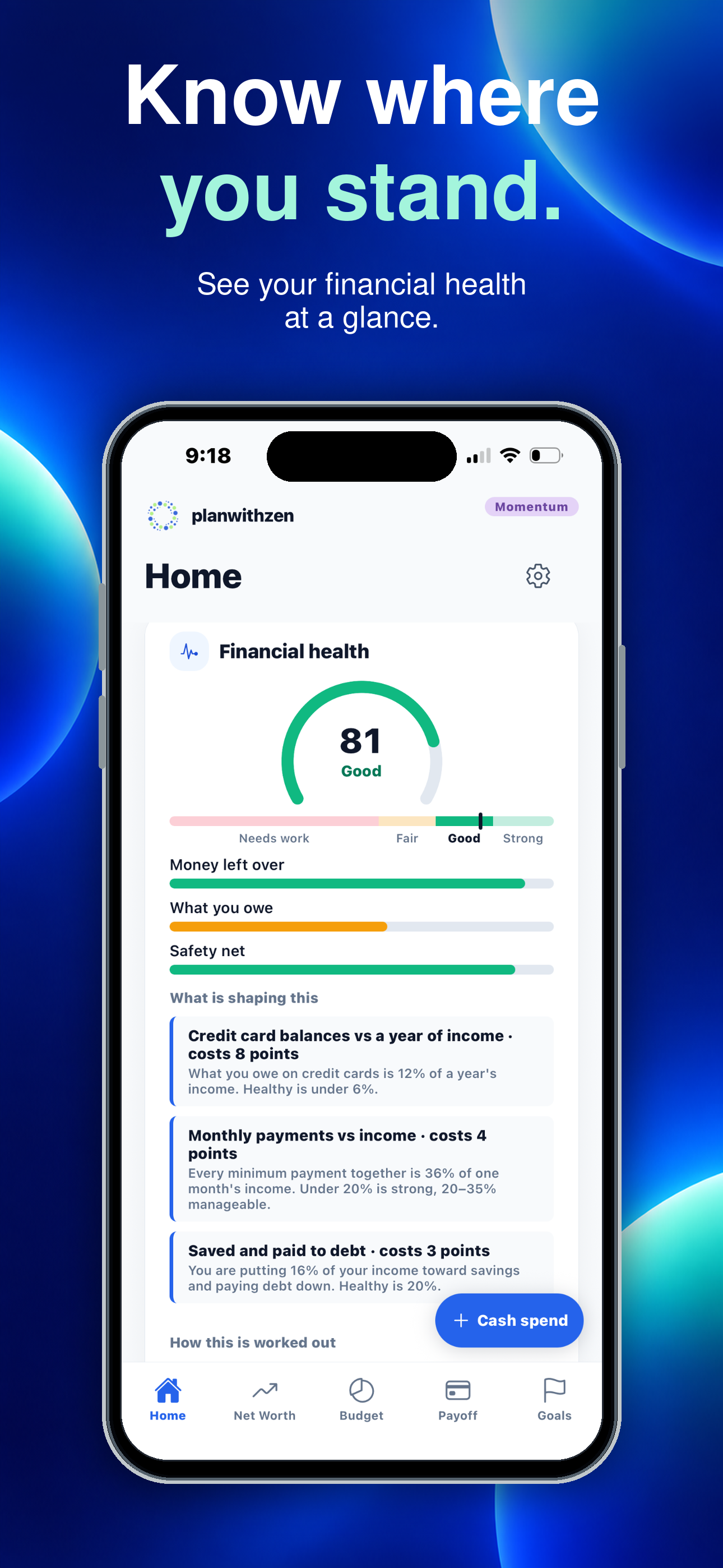
Review spending, budget, debt, savings, goals, net worth, and financial health in one place.
Create a budget, choose a consumer debt payoff approach, explore your mortgage, and establish goals.
Update manual balances monthly or use connected accounts to reduce ongoing updates.
What “guided” means: planwithzen gives you a clear sequence, explains what information is needed, and organizes your numbers into useful views. You remain in control. Every screen ends with short notes on how to use it.
What you can do
Understand your money, build practical plans, and see how your financial picture changes over time.
Two ways to use planwithzen: Free gives you the core tools to understand your finances and build your first plans. Momentum is the optional $9.99 monthly plan that adds connected accounts, deeper comparisons, mortgage-payoff planning, and financial history.
Plan the month, then see how it actually went.
Credit cards, loans, and your mortgage — each with a plan.
A target, a monthly amount, and the date it funds.
What you own, what you owe, and where that leaves you.
Simple pricing
Free gives you a complete financial picture and practical plans. Momentum helps you keep those plans current and see how they change over time.
Free
Understand where you stand and build your first plans.
No subscription or bank connection required.
Momentum
Work your plans month after month and watch your progress.
Renews monthly until canceled. Manage or cancel through Apple ID settings.
| Capability | Free | Momentum |
|---|---|---|
| Manual financial tracking | ✓ | ✓ |
| Plaid account connections | — | ✓ |
| Monthly budget | This month and next | This month and next |
| Actual-versus-budget comparison | ✓ | ✓ |
| Consumer debt payoff approaches | Highest interest first | 3 approaches |
| Mortgage-payoff plan | — | ✓ |
| Active financial goals | 2 | 10 |
| Custom categories | 4 | 10 |
| Current net worth and health score | ✓ | ✓ |
| Financial history | — | 6 months |
Questions, clearly answered
planwithzen is an iOS financial planning app that helps you organize your income, expenses, assets, debts, budget, financial goals, and net worth in one guided experience.
Yes. Free lets you enter your financial information, build a working monthly budget, create a consumer-debt payoff plan, manage two financial goals, and review your net worth and financial health.
Momentum adds connected accounts, subscription detection, additional payoff approaches, mortgage-payoff planning, more goals, and six months of history for $9.99 per month.
No. You can use planwithzen entirely through manual entry. Connecting eligible accounts through Plaid is an optional Momentum feature that reduces manual balance and transaction updates.
No. Connections are read-only. planwithzen cannot initiate transfers, make payments, place trades, or move money between accounts.
Update manually maintained information at least once a month. Monthly updates keep your budget comparisons, trends, net worth, and financial health accurate.
If you do not update a figure, planwithzen keeps the last one you entered. Monthly reminders can be turned off.
You choose what you plan to pay each month. When one debt is paid off, its planned payment moves to the next debt based on your selected payoff approach.
Free includes the highest-interest-rate-first approach, which typically minimizes interest when payment amounts and other assumptions remain consistent. Momentum adds smallest-balance-first, largest-balance-first, and side-by-side comparisons.
Yes. planwithzen includes 22 built-in categories and lets you add your own. Free supports four custom categories, and Momentum supports ten.
You decide whether each category belongs under needs, wants, or savings and debt payoff.
Yes. Set a target amount, target date, and planned monthly contribution. Free supports two active goals. Momentum supports up to ten.
Mortgage planning is included with Momentum. Enter your current balance, interest rate, and principal-and-interest payment.
planwithzen estimates your payoff date and how additional principal payments could affect both. It does not change your loan or make payments.
Financial information may be stored on your device and synchronized with planwithzen’s hosted systems so that it is available through supported mobile and web applications. Information is protected using encryption, account authentication, database access controls, and restricted administrative access.
Plaid handles authentication with your financial institution, so planwithzen never receives or stores your bank username or password. Connected-account access is read-only: planwithzen cannot transfer money, make payments, move funds, or place trades. You may disconnect a financial institution or use the available account controls to manage or delete synchronized information.
Coming to iPhone
See where your money goes, create a working budget, build debt-payoff plans, track financial goals, and understand your net worth—all from your iPhone.