 planwithzen
Estimated payoff date
See the date produced from the mortgage details and payment assumptions you enter.
Review your estimated payoff date and remaining interest, then explore how additional principal payments could affect both.
Self-directed financial planning tools for educational purposes only. Not financial, investment, tax, or legal advice.
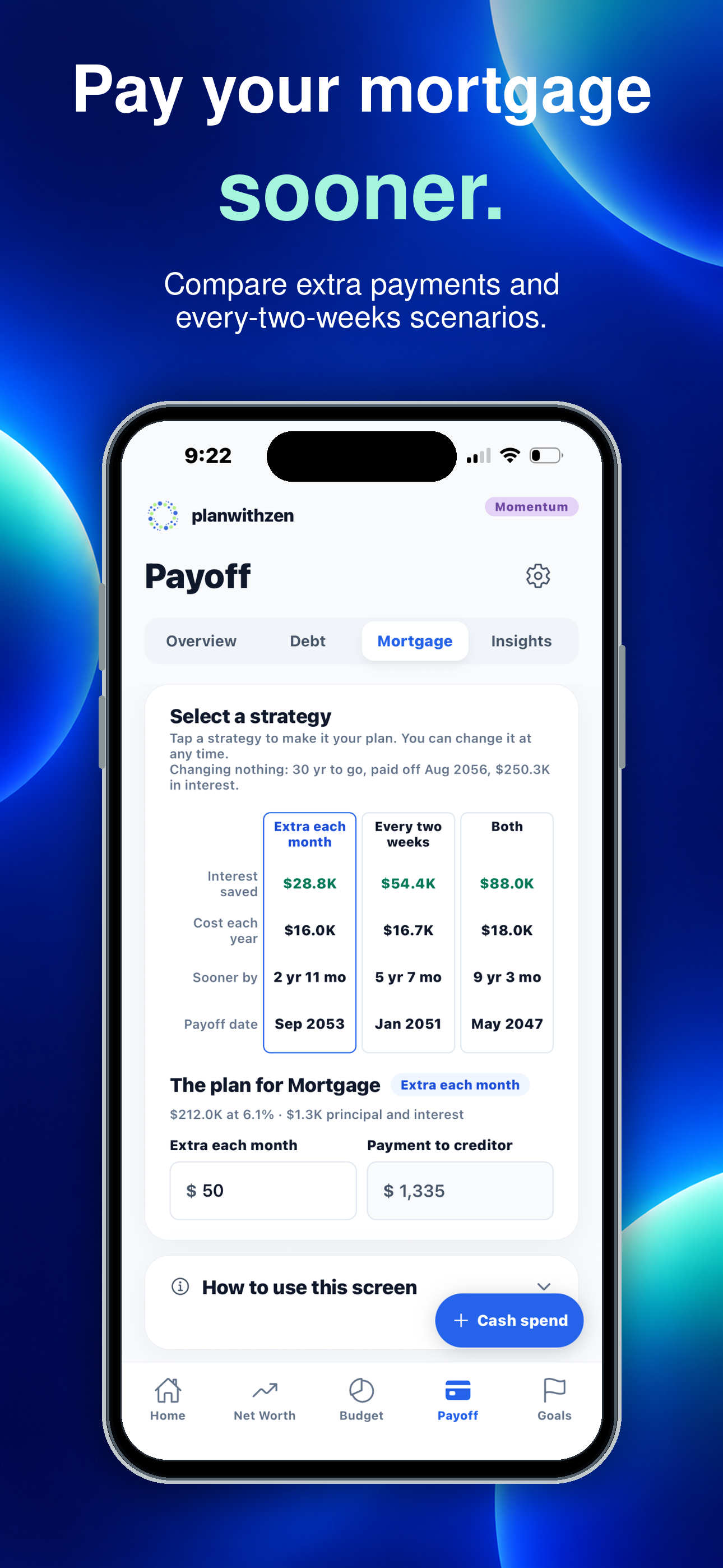
Explore the tradeoffs
A mortgage-payoff illustration can show how an additional amount applied to principal may change the timeline. It does not change your loan, instruct your lender, or guarantee savings.
See the date produced from the mortgage details and payment assumptions you enter.
Review an estimate of principal and interest over the remaining loan period.
Test a recurring extra-principal amount, or half a payment every two weeks, and compare the estimated change in time and interest against the baseline.
Mortgage planning for real life
An extra amount against the principal shortens the loan twice over: the balance falls sooner, so less of it accrues interest. Neither effect is obvious from a statement, which is why it is worth pricing.
Balance, interest rate, and the principal-and-interest payment you make now.
An extra amount each month, half a payment every two weeks, or both together.
The estimated payoff date and remaining interest, with and without the change.
How mortgage-payoff planning works
Enter the current balance, the interest rate, and the principal-and-interest payment. The remaining term follows from those three.
See the estimated payoff date and remaining interest based on those details.
Enter an additional amount and compare the estimated timeline with the baseline.
Mortgage features
Simple pricing
Free gives you a complete financial picture and practical plans. Momentum helps you keep those plans current and see how they change over time.
Free
Understand where you stand and build your first plans.
No subscription or bank connection required.
Momentum
Work your plans month after month and watch your progress.
Renews monthly until canceled. Manage or cancel through Apple ID settings.
| Capability | Free | Momentum |
|---|---|---|
| Manual financial tracking | ✓ | ✓ |
| Plaid account connections | — | ✓ |
| Monthly budget | 2 months | 6 months |
| Actual-versus-budget comparison | — | ✓ |
| Consumer debt payoff approaches | Highest interest first | 3 approaches |
| Mortgage-payoff plan | — | ✓ |
| Active financial goals | 2 | 10 |
| Custom categories | 4 | 10 |
| Current net worth and health score | ✓ | ✓ |
| Financial history | — | 6 months |
Mortgage questions, clearly answered
No. The feature creates educational estimates only. It cannot alter your loan or make a payment.
Not necessarily. Servicer practices and loan terms differ. Confirm that your lender will apply the amount as intended.
Your regular mortgage payment appears in your budget under Housing, in needs. Additional principal you test here stays on this page as an estimate and is not added to your budget.
Your lender may use daily interest, escrow, fees, payment timing, rounding, adjustable rates, or other loan-specific rules that are not reflected in a simplified estimate.
No. Mortgage-payoff planning is a Momentum feature. Momentum is $9.99 per month and renews monthly until canceled through Apple ID settings.
Coming to iPhone
Test an additional monthly amount, see the payoff date and interest change, and keep the result connected to your budget and net worth.
Related planning tools
planwithzen is coming soon to iPhone.